外观优化
一、 优化界面 🎨
Godot 引擎界面从最初的发布到目前的版本已经有了显著改进,变得更加美观和易用。虽然从早期版本到现在有了巨大进步,但仍有改进空间。
为了最极致的开发体验,我会对 Godot 引擎进行外观美化,可以根据个人喜好优化界面和工作流程。然而,引擎界面的美观度和功能性需要平衡,不同用户可能有不同的偏好,适合自己的就是最好的!
主要是以下两点的改变:
- 蓝灰色配色方案不够美观,不如其他引擎的中性色调更受欢迎;
- 更改最新版本的界面布局更加合理,对比度和清晰度都有所提升。
参考资料
二、主题配置 💻
这边我使用自定义主题🔗 GitHub - passivestar/godot-minimal-theme: Godot Minimal Editor Theme,提供了一个简洁美观的 Godot 编辑器界面主题,可以大幅提升 Godot 的界面美观度。
- 访问 Releases 页面,下载适合你 Godot 版本的
.tres文件。如果你使用的是高分辨率显示器,请下载 high ppi 版本的文件。 - 在 Godot 中,打开
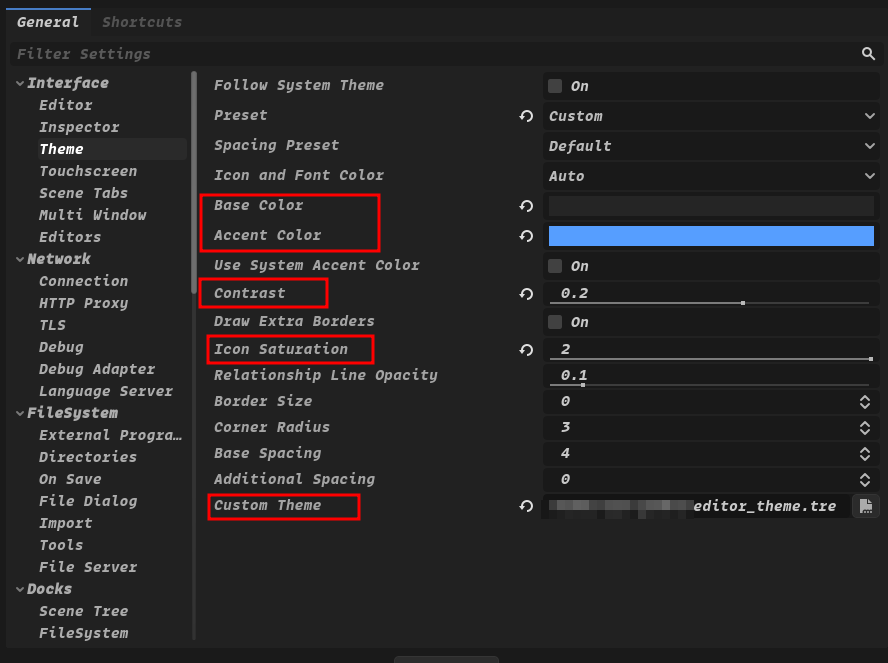
Editor -> Editor Settings -> Interface -> Theme,在最下面Custom Theme中选择你刚下载的主题文件。此时会弹出一条消息:"The editor must be restarted for the changes to take effect."(编辑器必须重启才能使更改生效),并有一个 点击"Save & Restart" 按钮重启。 - 这里作者也提供了推荐设置在
Editor -> Editor Settings -> Interface -> Theme中:
- Base Color:
#252525 - Accent Color:
#569eff - Contrast:
0.2 - Icon Saturation:
2
- 修改字体,在
Editor -> Editor Settings -> Interface -> Editor中Main Font修改。
三、布局配置 📐
接下来需要进行布局调整,参考了 Unreal Engine 5 的界面布局。
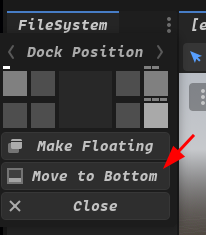
点击面板右上角:
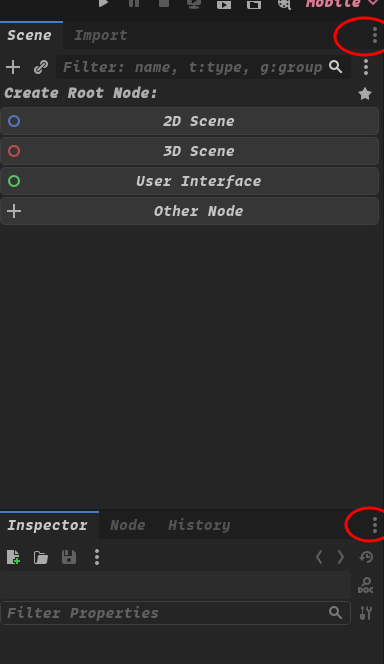
将其放在合适的位置:
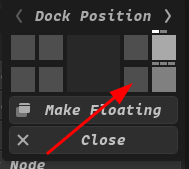
将“文件系统”面板固定在底部:
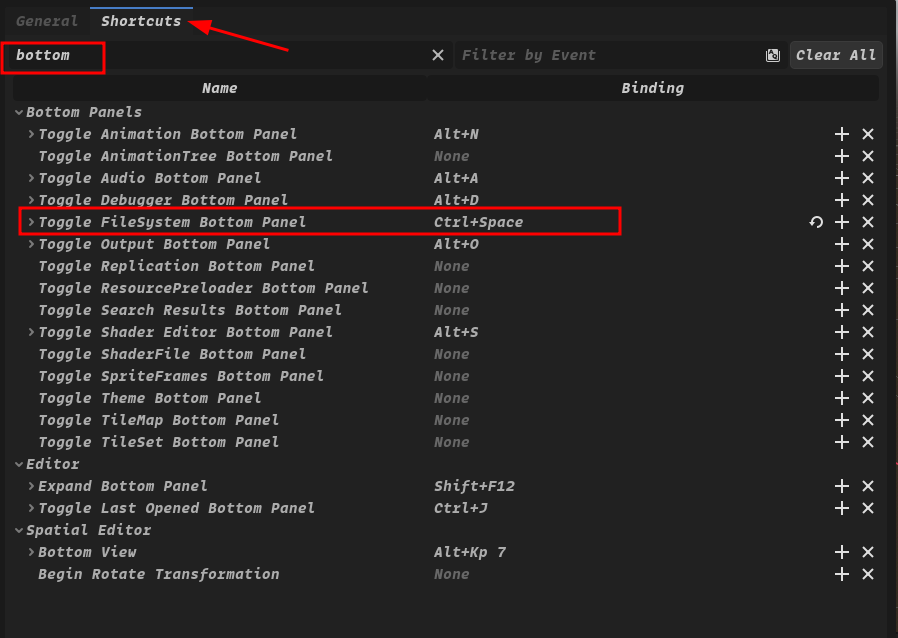
配置“文件系统”面板快捷键:
Editor -> Editor Settings > Shortcuts > Toggle FileSystem Bottom Panel : CTRL+SPACE
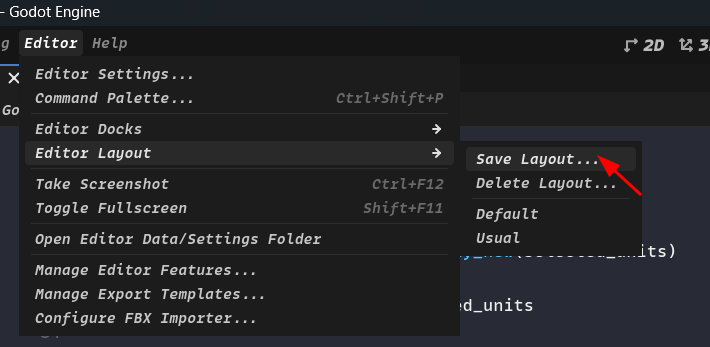
保存布局,以便后续项目中使用相同的布局,而不需要每次重新设置:
Editor -> Editor Layout -> Save Layout
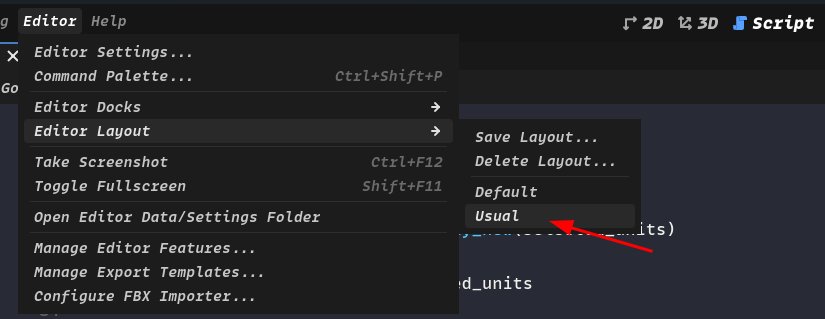
给 Layout 命名(例如,Usual) ,以帮助你快速识别和切换到所需的布局。
新项目切换到指定布局:
Editor -> Editor Layout -> (选择你命名的布局)
四、脚本编辑器主题 🎨
你可以选择自己喜欢的主题,这里以一个优雅、带有明亮的配色的 Godot 脚本编辑器主题—— 🎨 Godot-Snazzy 为例子。
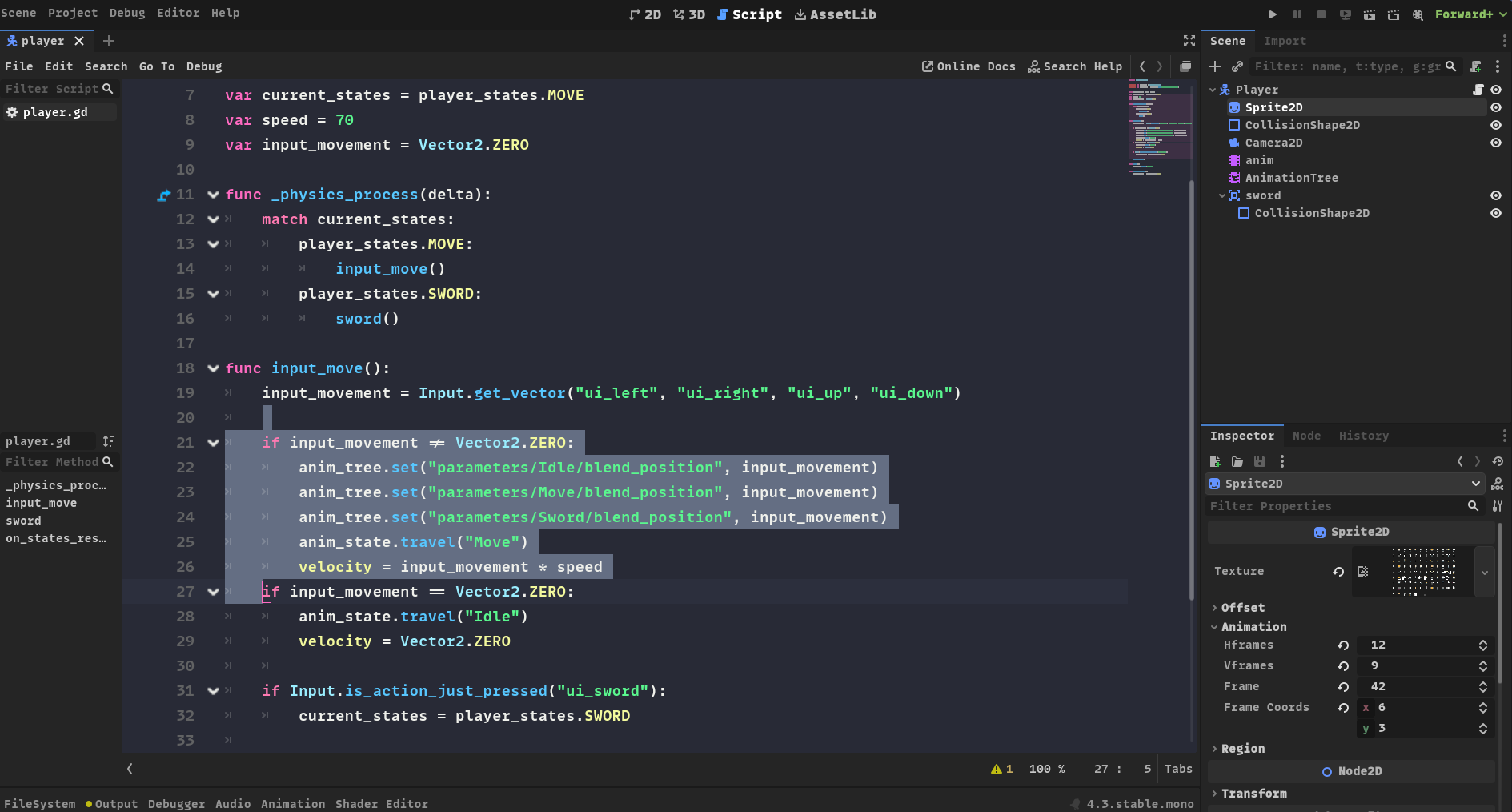
请根据您的实际安装位置进行配置!!
将 .tet 文件放置在您的 Godot 文本编辑器主题目录:
- Linux 系统:
~/.config/godot/text_editor_themes/ - macOS 系统:
~/Library/Application Support/Godot/text_editor_themes/ - Windows 系统:
%APPDATA%\Godot\text_editor_themes\
如果您是通过 Steam 安装的 Godot,您的 Godot 文本编辑器主题文件夹
应该位于 Steam 安装目录下的 steamapps/common/Godot Engine/editor_data/text_editor_themes/。
或者使用命令行安装:
# Linux系统:
git clone https://github.com/Nexseer/godot-snazzy.git ~/.config/godot/text_editor_themes

# macOS系统:
git clone https://github.com/Nexseer/godot-snazzy.git "~/Library/Application Support/Godot/text_editor_themes"

# Windows系统:
git clone https://github.com/Nexseer/godot-snazzy.git "%APPDATA%\Godot\text_editor_themes"
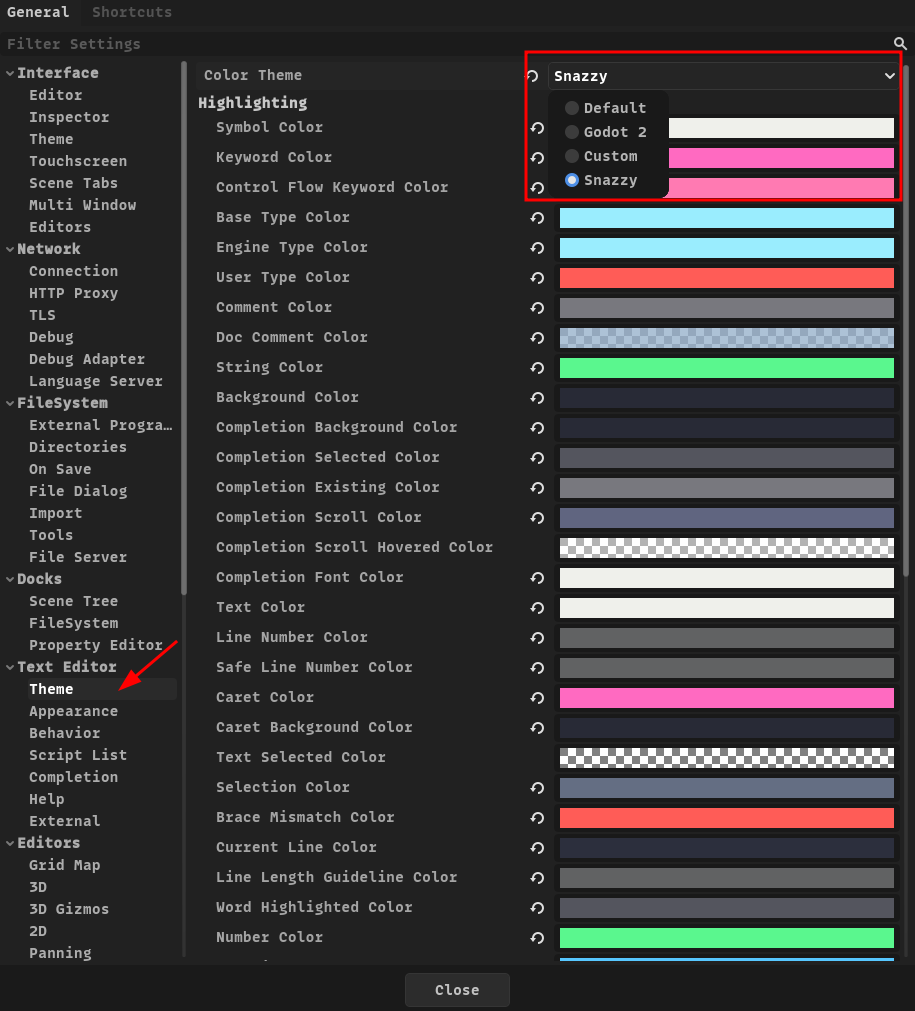
在 Editor -> Editor Settings -> Text Editor -> Theme 更改主题。现在您应该
可以选择所需的主题了。